
Written by: Jay H.
A slow internet connection can be one of the most frustrating problems to deal with whether you’re working from home, streaming a movie, or just browsing the web. Pages load slowly, videos buffer endlessly, and everything takes longer than it should. If you’ve ever asked yourself, “Why is my internet so slow?”, you’re not alone.
Let’s break down the possible causes of slow internet, how to test your current speed, and what you can do to fix it.
Step 1: Test Your Internet Speed
Before making any changes, it’s important to get a clear picture of your current connection.
How to Run a Speed Test
Visit a reputable speed test website such as fast.com. The test will start running immediately for your download speed. Once it finishes, click on Show more info to get your upload speed.
What the Numbers Mean
-
Download speed – Affects things like streaming, browsing, and downloads.
-
Upload speed – Important for video calls, file uploads, and online gaming.
-
Ping (ms) – Measures delay. Lower is better; high ping can make your connection feel laggy.
Compare your results with the speeds promised by your internet provider by checking your online account or an invoice. If you’re paying for 100 Mbps but only getting 15 Mbps, something’s off.
Common Reasons for Slow Internet
1. Too Many Devices Connected
Every device on your network uses a slice of your bandwidth. Phones, smart TVs, gaming consoles, and even smart home gadgets can add up. If too many are active at once, everything slows down.
Fix: Disconnect unused devices or upgrade your internet plan if you have a large household.
2. Weak Wi-Fi Signal
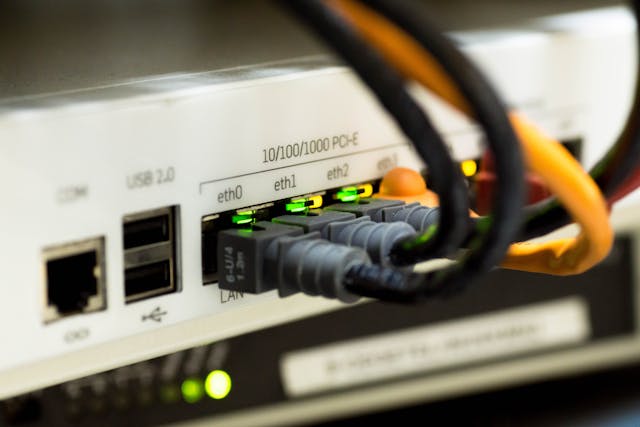
The farther away you are from your router, the weaker the signal. Walls, furniture, and other electronics can also interfere. If possible, always use a wired (ethernet) connection over a wireless connection as they are more reliable and provide better speeds.
Fix: Move closer to your router or consider getting a mesh Wi-Fi system or signal extender to improve coverage. Use a wired connection if possible.
3. Outdated Equipment
Old routers and modems may not support faster speeds, especially if you’ve upgraded your plan but kept the same hardware.
Fix: Upgrade to a modern router that supports current Wi-Fi standards (look for dual-band or Wi-Fi 6 models).
4. Your Internet Plan Isn’t Fast Enough
If you’re consistently hitting the maximum of what your plan offers, you may simply need a faster package.
Fix: Check your plan’s speed and consider upgrading if your needs have increased, especially if you work from home, game, or stream videos.
7. ISP Issues
Sometimes the problem isn’t you, it’s your provider. Outages, maintenance, or technical issues at their end can reduce your speeds.
Fix: Check your provider’s website or social media for updates. If the issue persists, contact their support team.
Boost your Internet Speed
A slow internet connection doesn’t always mean you need a new provider. Often, it’s caused by minor issues that you can fix yourself. By testing your speed and working through the common culprits, you can enjoy a faster, smoother online experience.
Still struggling with slow internet? We can help assess your setup, upgrade your equipment, and optimize your connection. Contact us today to speak with an expert IT technician.
Comments are closed.
