
Tag: Windows
Blog
How to Protect Your Computer from Malware
Keeping your computer secure from viruses, malware, and other online threats is essential to staying safe online. With a few steps, you can reduce your risk and keep your personal information safe. Here’s a step-by-step guide to protecting your computer: 1. Install and Regularly Update Antivirus Software A robust antivirus program is your computer’s first line of defence against malware.
How to Free Up Space on Your Computer
Written by: Jay H. Running out of hard drive space can significantly slow down your computer, impact performance, and make it challenging to save new files or install software. Whether you’re working with limited storage or just want a more efficient system, managing and freeing up space on your hard drive can make a big difference. Here’s a comprehensive guide
How to Use System Restore on Windows to Recover from Errors
Written by: Jay H. System Restore is a useful tool in Windows that helps you revert your computer’s system files, settings, and applications to a previous state. If you’re experiencing unexpected errors or performance issues, using System Restore can often fix them without affecting your personal files. This guide will walk you through everything you need to know about
How to Fix Unresponsive Programs with Task Manager
Written by: Jay H. Have you ever faced the frustration of a program freezing or becoming unresponsive right in the middle of an important task? Many people experience this with Windows-based programs, whether due to a software glitch, lack of memory, or unexpected bugs. Thankfully, Windows Task Manager is a powerful tool that can help you resolve these issues quickly
Microsoft Extends Windows 10 Security Until 2026 – For a Fee
Written by: Jay H. Ever since the announcement for Windows 11, Microsoft has struggled to convince users to switch from Windows 10 to its newest operating system. As Windows 10 nears its end-of-life date in October 2025, Microsoft is introducing a lifeline for users who aren’t quite ready to switch: Extended Security Updates (ESU). This paid extension will offer an
How to Enable BitLocker Encryption on Windows Devices
Written by: Jay H. BitLocker is a powerful encryption feature included with certain versions of Windows that helps protect data by encrypting entire volumes. Enabling BitLocker on your Windows device ensures that your sensitive information is secure, even if the device is lost or stolen. Let’s go through the steps to enable BitLocker encryption on your Windows device. What is
How to Boot Into Safe Mode in Windows 10 or Windows 11
If you’re troubleshooting an issue with your computer, oftentimes you may want to boot your computer into safe mode. Safe mode starts Windows in a basic state with limited drivers and files, meaning that if a problem doesn’t occur in safe mode, it is not the default configuration that is causing your issues. If you’re diagnosing your computer, here are
How To Save A Page as a PDF
Written by: Jay H. PDF files are an easy way to share documents, web pages, images, and files. Luckily, it’s easy to save just about anything as a ready-to-share PDF. Here’s how you can save a page or file as a PDF. How to save a page as a PDF Open the webpage or file you want to save
Windows 11 2H22 Update: Features and Installation
Written by: Jay H. Microsoft recently unveiled Windows 11 version 2H22, sporting new improvements and a few new features. Let’s look at what’s new with this version of Windows and how you can update if you’re interested in trying it out for yourself. Windows 11 2H22 Features Start Menu enhancements Microsoft improved the Start Menu, now allowing you to customize
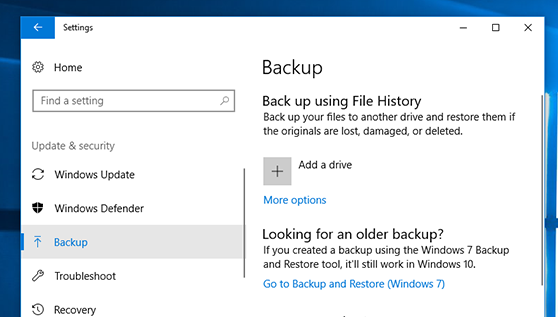
How To Backup Your Computer
Written by: Jay H. Your data is at risk every day. You could lose your break your computer, your hard drive could fail, ransomware could take your data hostage, or you could accidentally erase your files. If you don’t regularly back up your computer, you’re at significant risk of losing your files. Here’s how to backup your computer and keep
Free Report

Escalating cyberthreats targetting your small business
How you can protect your business against the biggest cyberthreats looking to steal your valuable data and hard-earned money right now.
Menu
Contact Us
104 - 32615 South Fraser Way
Abbotsford, BC V2T 1X8
Canada